
ConsoleWeb, on any computer or phone
Give credit with your eyes open
Credit goes wrong quietly: one more order to a customer already late. The Console shows what each customer owes before anyone says yes, holds the orders that break your rules, and keeps the follow-up in one list.
How it works
Step by step
- Step 1
Set the rule
A credit limit for each customer and how overdue a bill may be before orders are held.
- Step 2
Orders are checked
From the app, the website, the field or the counter, every order meets the same rule.
- Step 3
Someone decides
A held order waits for a person with the right to release or reject it.
What is in it
In detail
One page a customer
Balance, overdue with its oldest days, credit left, last order, visit and payment.
A timeline
Orders, deliveries, payments, visits and messages for a customer in one list.
The overdue list
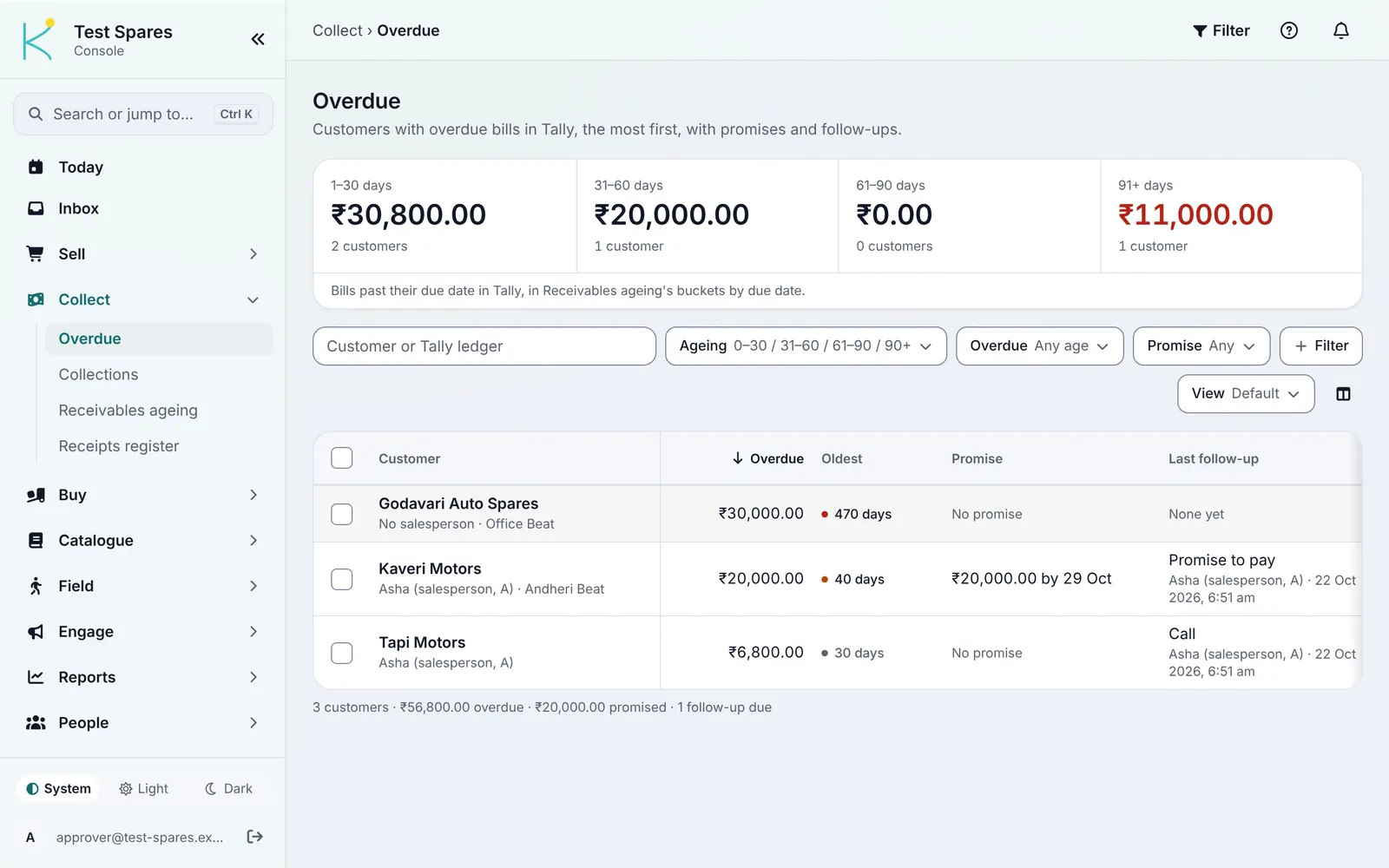
Customers with overdue bills, the oldest bill's age, promises to pay and the last follow-up.
Reminders
Payment reminders on WhatsApp, SMS and email, from your own accounts, each switched on by you.
Statements to share
A customer's pending bills or ledger as a neat statement, shared on WhatsApp in two taps.
New customers to approve
Applications from the app wait for your staff to approve or turn down.
FAQs
Questions people ask
Where do balances and overdue come from?
From your accounting software. Kavasa reads ledgers and open bills from it and never keeps a second set of accounts.
Can a salesperson release their own customer's held order?
Only if you give their role that right. Releasing a hold is a permission of its own, checked in the database.
The rest is in our privacy policy and terms of use.
More in Console
Run the whole office from one screen
See your own office in the Console
A walkthrough with your items, your customers and your prices.
How you start