
For your sales teamAndroid, iPhone and web
Know what happened in the field today
Your salespeople plan the route, record each visit, take the order and the payment, and claim their expenses from one app. You see the same day from the office as it happens, not from a report written at night.
Who uses it
For everyone whose work is outside the office
Salespeople
The day's route, each customer's balance, and one place to record the visit, order and payment.
Sales managers
The team's day as it happens, approvals for tours, expenses and leave, and targets against achieved.
Delivery staff
The stops of a delivery run in order, with a photo of the signed document at each one.
Accounts
Collections arrive with a photo and wait to be verified before they reach the books.
In the app
Screen by screen
A day with it
From the first stop to the last collection
- Morning
Start the day
Attendance with the place and, if you ask for it, a selfie. Then the day's route in order.
- At the customer
Start a visit
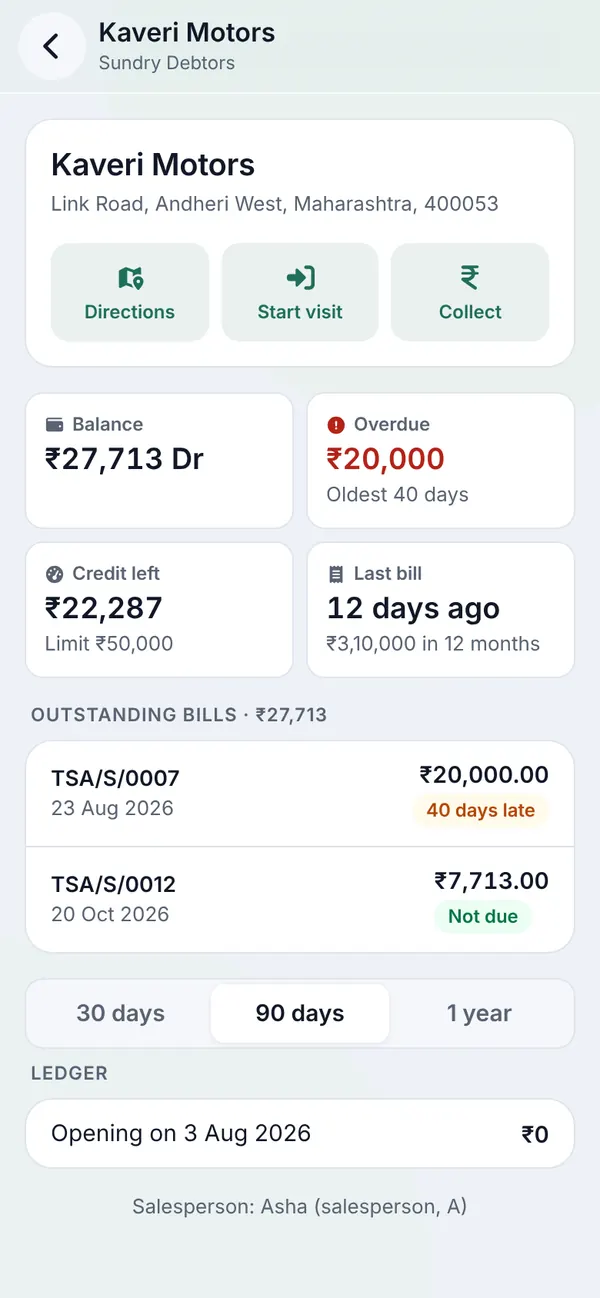
Their balance, overdue bills and ledger are on the screen before the first word is said.
- Before leaving
Order and collect
Take the order at the customer's own price, and record cash, cheque or UPI with a photo.
- Evening
End the day
Expenses claimed, skipped stops explained, and location recording stopped.
Features
What the field team does in it
Routes and tour programs
Each person plans the month's routes on a calendar and their manager approves it.
Visits with an outcome
Started at the customer, ended with what happened, notes and photos.
Orders taken on the spot
At the customer's own price, checked against their credit like any other order.
Collections
Cash, cheque, UPI and bank transfers recorded with a photo, verified by the office.
The customer's account
Balance, overdue bills, ledger and catalogues for every customer the person looks after.
Expenses and fuel
Claims with receipts, odometer readings with photos, fuel worked out by your rates.
Tasks
Given by managers with checklists and proof, done and ticked off in the field.
Targets and leaderboards
Each person's month against target, the pace they are on, and the team's boards.
Delivery runs
Stops in order, directions handed to the phone's maps, and proof of delivery by photo.
In detail
The features buyers ask about
Each has a page of its own.
Works with
The field and the office see one day
What a salesperson records is what the office, the customer and the books see.
FAQs
Questions people ask
Is this one app for every company, or ours alone?
It is Kavasa's app. Once your people sign in it takes your company's logo and colours, and someone who works for two companies switches between them.
What does a salesperson see?
Their own customers, routes, collections and claims. A manager sees their team's. Rights are checked in the database, not only on the screen.
Do we have to use location tracking?
No. It is off until you switch it on, and even then it needs each person's consent.
Which phones does it run on?
Android and iPhone, and in a browser for managers who prefer a computer.
The rest is in our privacy policy and terms of use.
See your field team's day clearly
A walkthrough with your items, your customers and your prices.
How you start