
Inside the ConsoleFor owners and leaders
Decide on numbers you can trust
Ask three people for last month's sales and you get three figures, because each counted it differently. In Kavasa every figure is defined once, worked out in one place and compared with your books, so the number on the owner's phone is the number on the accountant's screen.
Who uses it
The same figures, read from each chair
Owners
The business at a glance, year on year, and what the watch found last night.
Sales heads
Each person's month against target, the pace they are on, and customers who have gone quiet.
Finance heads
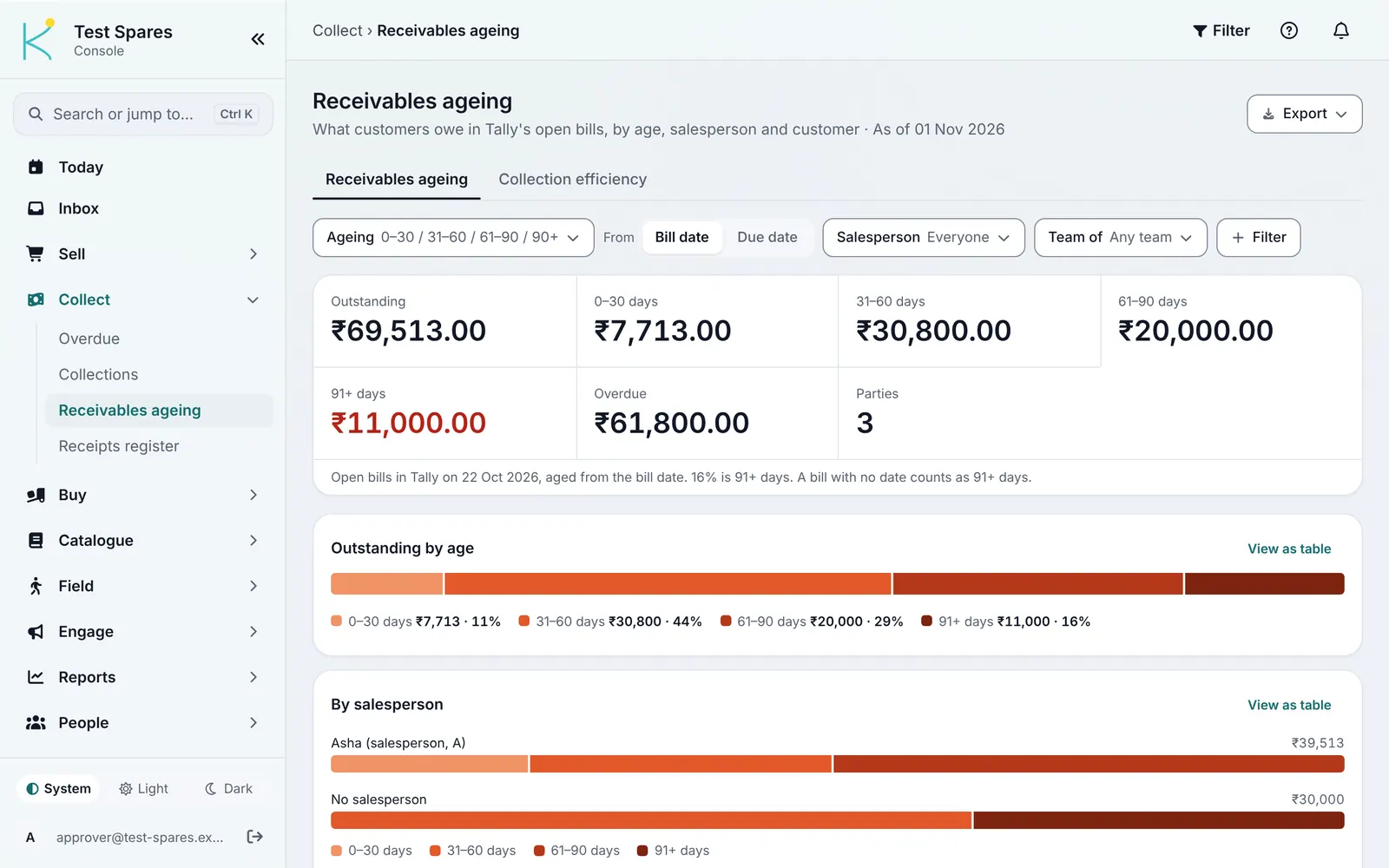
Receivables by age and by salesperson, and a check each morning against the books.
Buyers
Each item from every side: stock, its age, who buys it and what it earns.
In the app
Screen by screen
How it works
From your books to a figure you can act on
- Read
Your books come in
Sales, receipts, purchases, stock and ledgers, as your accounting software has them.
- Define
One measure, one meaning
Each figure is worked out once, on a stated basis, and every screen reads that one.
- Watch
Checked every night
Each figure is compared with its own usual range, and what is unusual is listed.
- Act
Open what is behind it
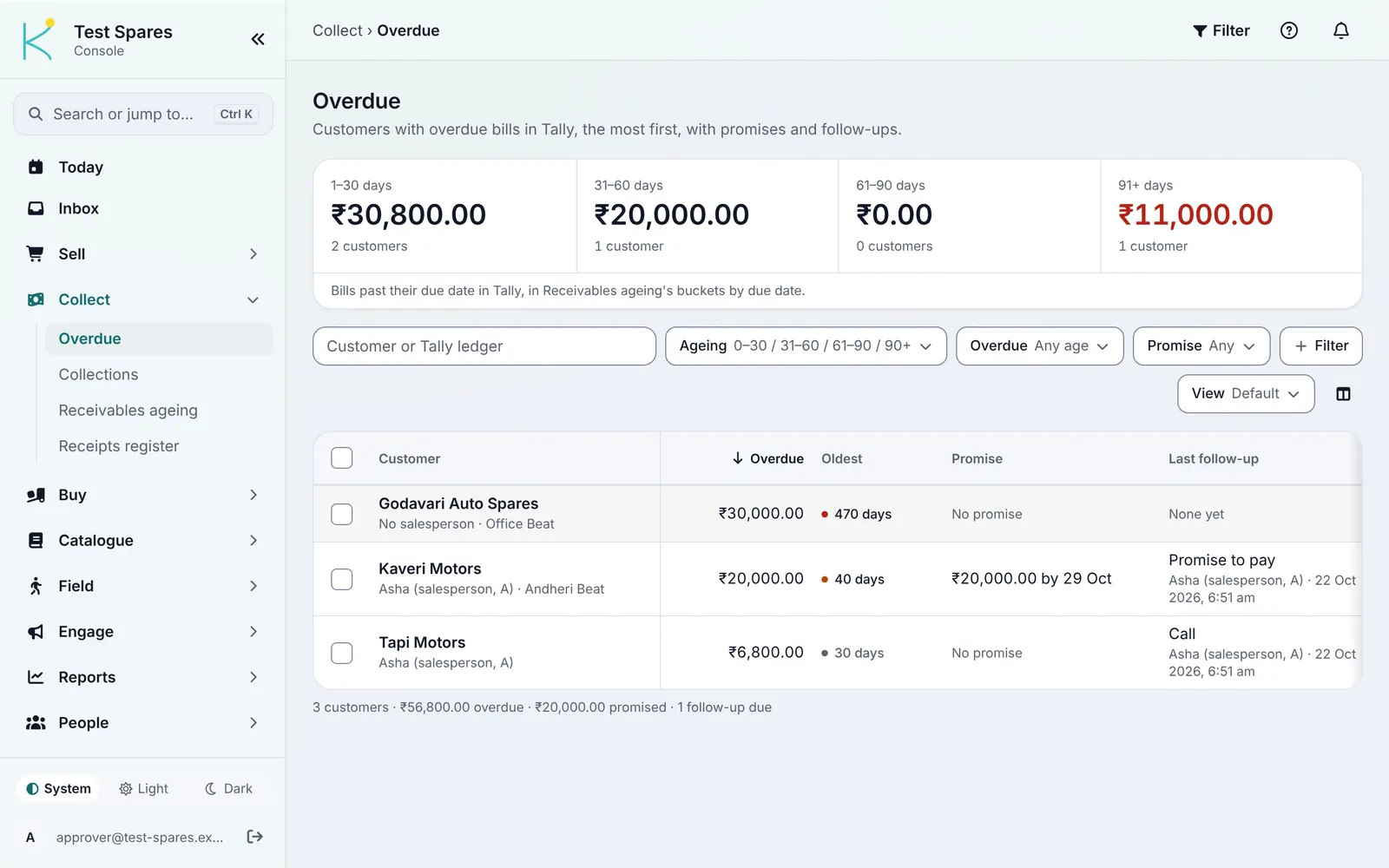
Every figure opens the customers, items or documents that make it up.
Features
What you can see
One definition per figure
Sales, outstanding, overdue and stock value each have one meaning, the same on every screen.
The nightly watch
Sales, collections, purchases, stock and changes to old entries, each compared with its usual range.
Customer 360
Everything known about one customer on one page, from balance to buying pattern.
Item 360
One item from every side: stock and its age, sales, purchases, customers, prices and margin.
Receivables by age
What customers owe by how old it is, by customer and by salesperson.
Plan against actual
Targets against achieved for each person, and planned routes against visits made.
Trend and business view
Any measure by month or quarter across a year, and the business year on year by brand.
Profit and margins
Gross profit by item, brand, customer or salesperson, shown only to roles that may see cost.
A map of the business
Sales by state, district and PIN code, down to the customers in each place.
In detail
The features buyers ask about
Each has a page of its own.
Works with
The figures come from the work itself
Nothing is keyed in for a report. Each figure comes from the books and the apps.
FAQs
Questions people ask
Is this a separate product to buy?
No. It is part of the Console, not another app to install or sign in to.
How current are the figures?
As current as Kavasa's last read of your books. The nightly watch runs on the day before.
Can everyone see profit and cost?
No. Cost, margin and profit show only to roles you allow, in every report and export.
Can I export a report?
Yes, to Excel and PDF with the filters on the screen, if your role has the export right for it.
The rest is in our privacy policy and terms of use.
See your own figures, defined once
A walkthrough with your items, your customers and your prices.
How you start