
For the officeIn any browser
Run the whole office from one screen
Who owes you, which orders can go out today, what to buy this week, who may see what. The Console answers the office's daily questions in one place, on figures that match your books, and every other Kavasa app is set up from it.
Who uses it
One app, a different view for each desk
Owners
Today's sales, money outstanding and what needs a decision, on a computer or a phone.
Sales and office staff
Each customer on one page, orders ready to fulfil, and holds waiting to be released.
Accounts
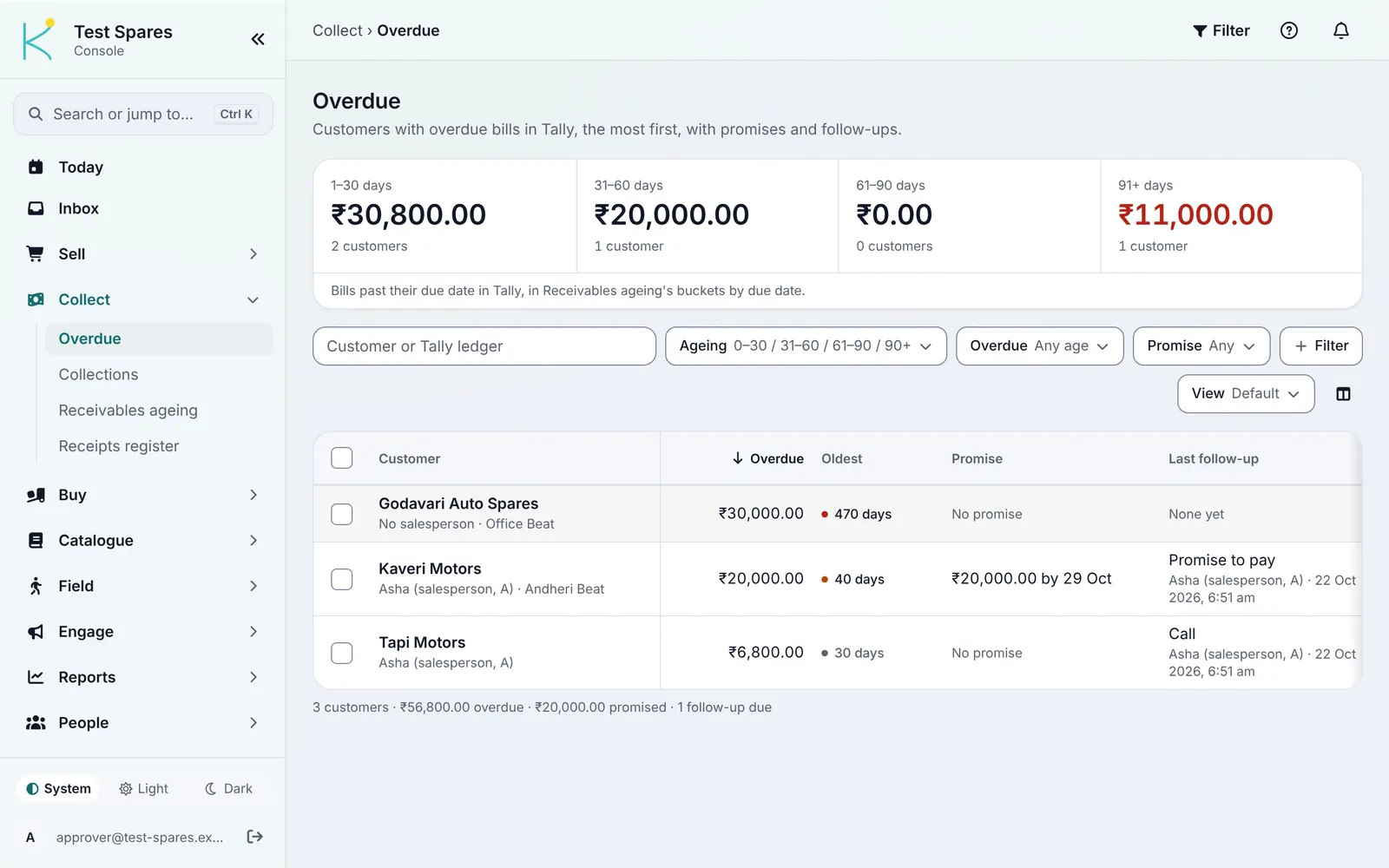
Collections to verify, overdue to follow up, and invoices to check before they are posted.
Buyers
Suggested quantities for every item, purchase orders and what suppliers have promised.
In the app
Screen by screen
A day with it
The office's day, in order
- Morning
Today
Sales against the same days before, money outstanding and overdue, and what is unusual.
- Through the day
The Inbox
Everything waiting on you: approvals, holds to release, collections to verify.
- Any time
Find anything
One search box for a customer, an item or a document, from any page.
- Week by week
Plan and review
What to buy, who to chase, and how each person and route is doing.
Features
What the office does in it
Today
The day's figures against the same days before, each one opening the page to act on it.
Customer 360
Balance, overdue, credit left, what a customer buys and has stopped buying, orders, visits and messages, on one page.
Orders ready to fulfil
The pending order lines your stock can supply now, by customer and by item.
Credit holds
Orders over the limit, or from customers with long-overdue bills, wait for someone to release them.
Overdue and collections
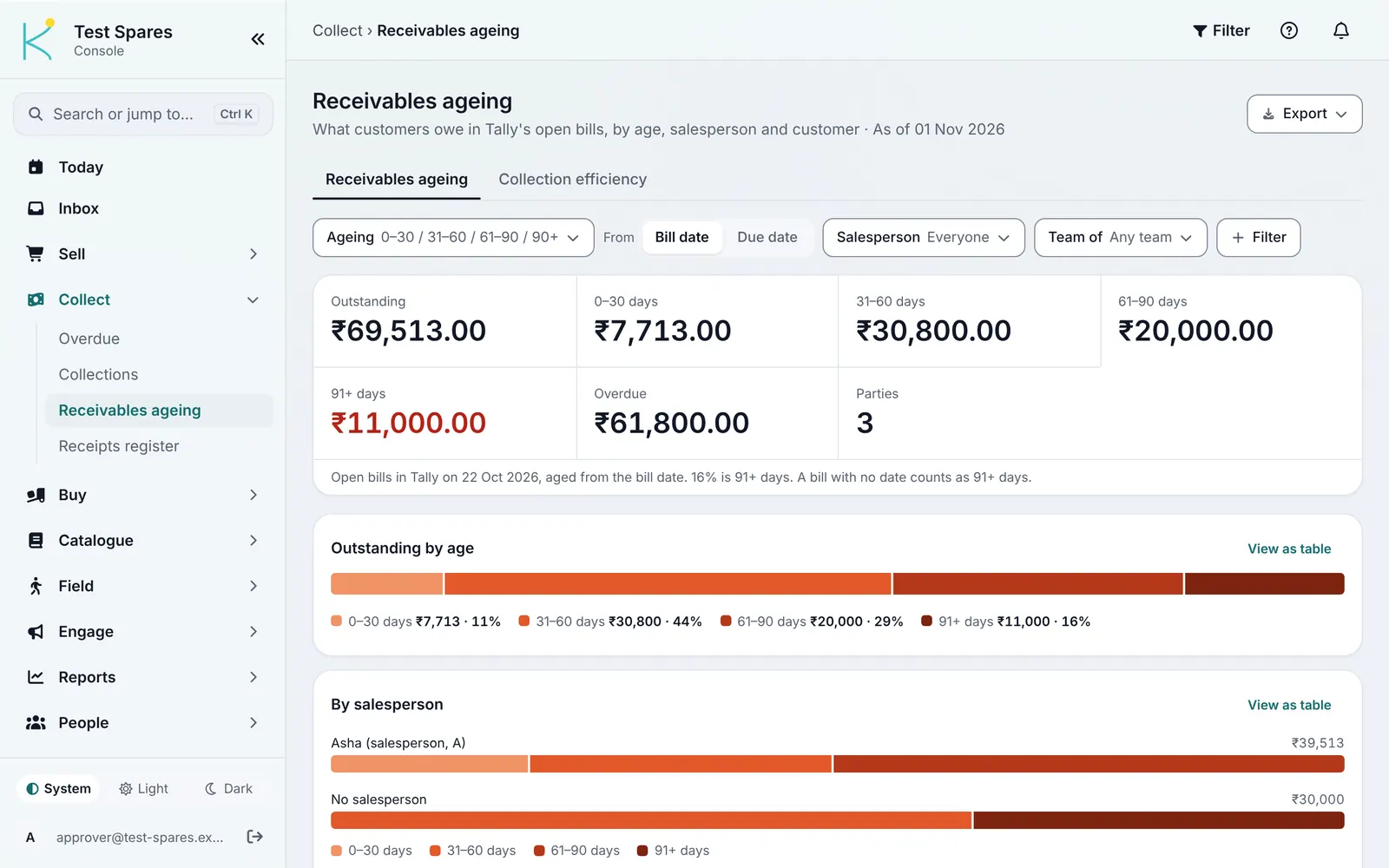
Who owes what and since when, promises to pay, reminders, and collections to verify.
Purchase planning
Suggested quantities from what sells and what is on its way, turned into purchase orders.
Catalogue and pricing
Pictures, codes, brands and categories over your items, with trade and retail prices by rule.
Roles and rights
Who may view, create, edit, approve or export, in each part, over their own, their team's or all records.
A setup wizard
From your company's details to imports from Excel, your rules and going live, at your own pace.
In detail
The features buyers ask about
Each has a page of its own.
Works with
Every other app is set up from here
The Console is where the rules live. The other apps follow them.
FAQs
Questions people ask
Is the Console a replacement for my accounting software?
No. Your accounting software keeps the accounts and numbers every document. The Console works on top of it and posts back through a queue.
Does it work on a phone?
Yes. It is a web app that fits a phone, so an owner can check the day or release a held order from anywhere.
Can I get my data out?
Yes. Lists export to Excel for people with the export right, and an owner can export everything.
How long does setup take?
That depends on your data. The setup wizard takes it in steps, and each app is switched on when you are ready for it.
The rest is in our privacy policy and terms of use.
See your own office in the Console
A walkthrough with your items, your customers and your prices.
How you start