
Business analyticsIn the Console, on any computer or phone
See who owes you, and for how long
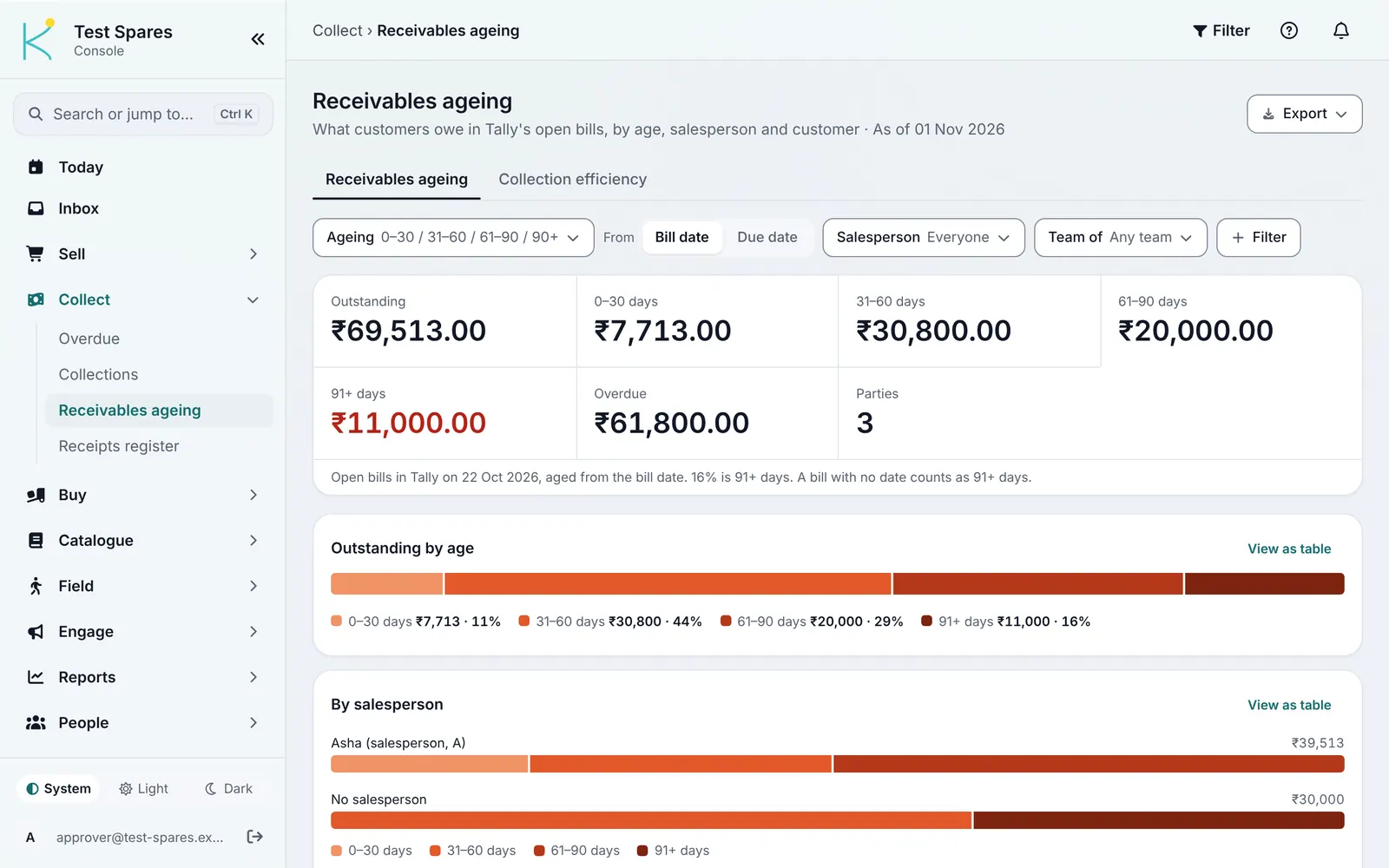
A total outstanding figure tells you little. The same money split by age, and by the salesperson responsible, tells you which conversations to have this week.
How it works
Step by step
- Step 1
Open bills are read
From your accounting software, bill by bill, with each customer's balance.
- Step 2
They are put in periods
By bill date or due date, in the periods you choose.
- Step 3
A period opens its customers
Each one opens the overdue list on the same basis, ready to follow up.
What is in it
In detail
Your own periods
From two to eight periods, the last one open-ended. Each person can keep a view of their own.
By salesperson
The same ageing for each salesperson's customers, within what each viewer may see.
The overdue list
Customers with overdue bills, the oldest bill's age, promises to pay and the last follow-up.
Statements and reminders
Share a statement on WhatsApp for one customer or every ticked one, and send payment reminders from your own accounts.
To Excel and PDF
With the filters on the screen, for people with the export right.
FAQs
Questions people ask
Can overdue be more than what a customer owes?
No. What a customer owes is their ledger balance today. Open bills only age that amount, so overdue is never more than it.
Does a salesperson see every customer's dues?
No. Each person sees the customers their role covers.
The rest is in our privacy policy and terms of use.
More in Business analytics
Decide on numbers you can trust
See your own figures, defined once
A walkthrough with your items, your customers and your prices.
How you start