
Kavasa FieldAndroid, iPhone and web
Money collected is money you can see
Cash handed to a salesperson should not be a figure someone remembers. Each payment is recorded at the customer with a photo, the office verifies it, and only then does the receipt go to your books.
How it works
Step by step
- Step 1
Record it at the customer
The amount, how it was paid and a photo of the cash, the cheque or the UPI screen.
- Step 2
The office verifies
Someone with the right checks each collection in the Console before it counts.
- Step 3
The receipt is posted
A verified collection is queued for your accounting software as a receipt against the customer.
What is in it
In detail
Four ways to pay
Cash, cheque, UPI and bank transfer, each with what the office needs to match it.
Overdue bills on the spot
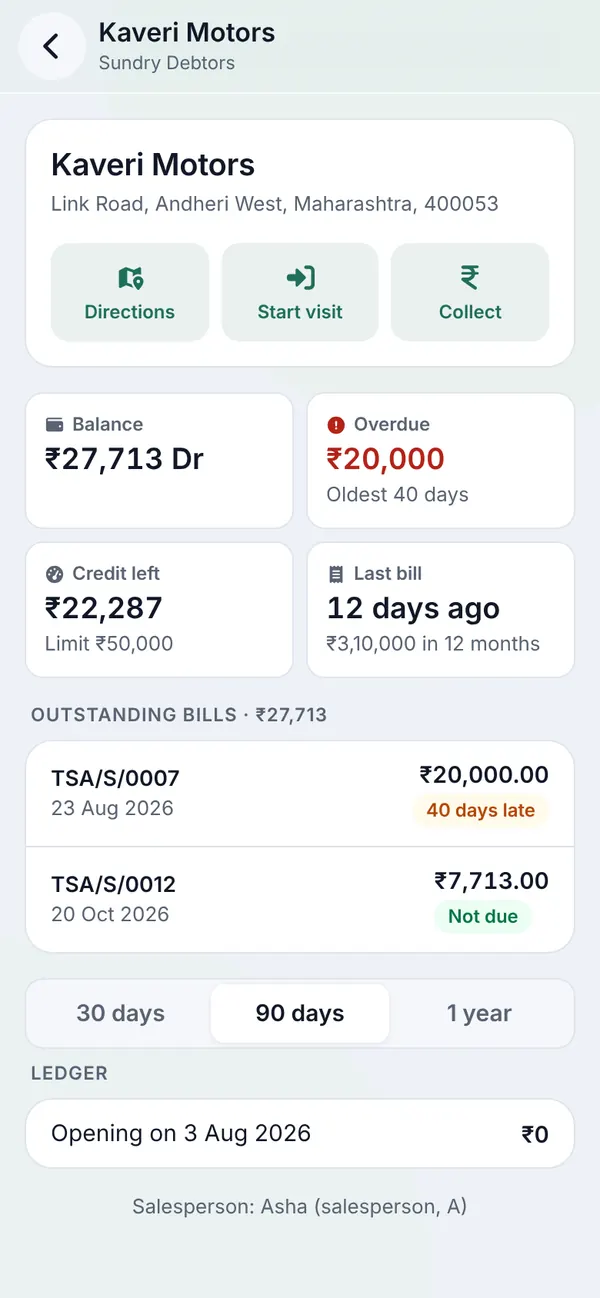
The salesperson sees which bills are open and how late each is before asking.
Cash in hand
The office sees the cash each person is holding and since when.
Promises to pay
A date the customer gave is recorded against them and shows on the overdue list.
A watch on cash not receipted
Cash collected and still not in the books after three days is raised by the nightly watch.
FAQs
Questions people ask
Can a salesperson post a receipt to the books?
No. A collection waits for someone in the office with the right to verify it. Only then is a receipt queued.
What about a cheque that bounces?
It is marked bounced and leaves the collected figures. An unusual number of bounced cheques in a week is raised by the nightly watch.
The rest is in our privacy policy and terms of use.
More in Kavasa Field
Know what happened in the field today
See your field team's day clearly
A walkthrough with your items, your customers and your prices.
How you start