
Kavasa FieldAndroid, iPhone and web
The order is in before the salesperson leaves
An order written in a diary is typed up later, if the page is found. Taken on the phone, it is priced, checked and on its way to the office while the salesperson is still with the customer.
How it works
Step by step
- Step 1
Open the customer
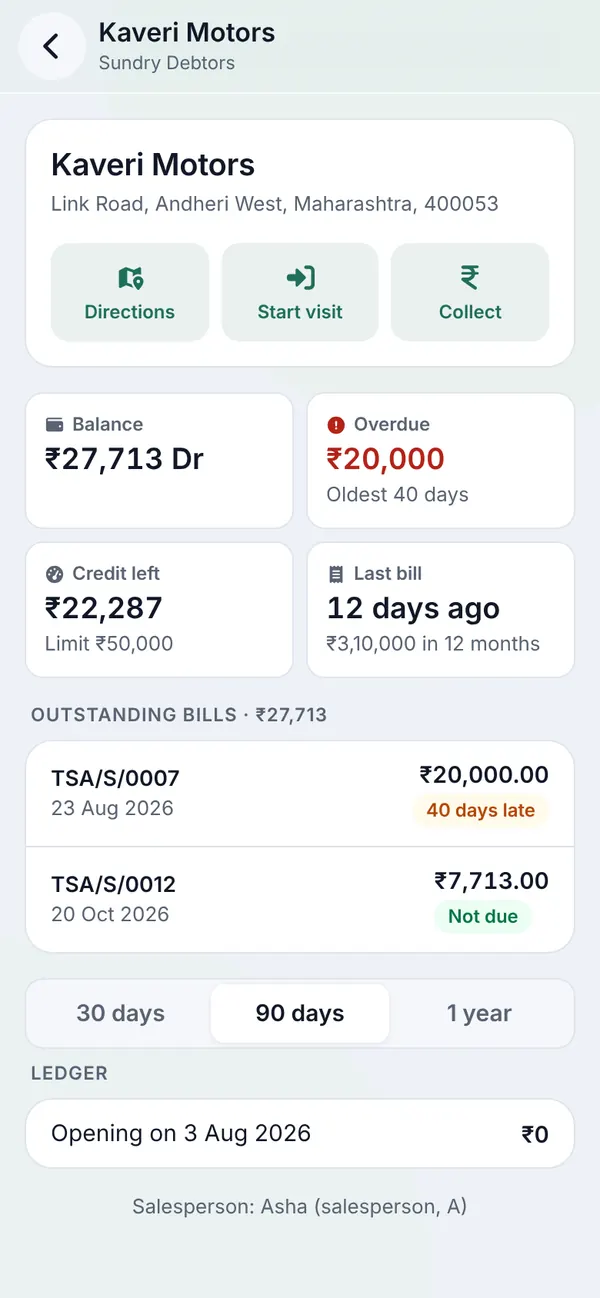
Their balance, credit left and past orders are already on the screen.
- Step 2
Add the items
Search the catalogue by name or code. Each line shows this customer's price.
- Step 3
Send it
The order is checked against credit and queued for your books like any other.
What is in it
In detail
The customer's own price
Worked out by the same rules as the customer app and the website, so there is one price.
Credit holds
An order over the limit, or from a customer with long-overdue bills, waits for someone to release it.
Quotations
A quotation made for the customer, sent as a PDF, and turned into an order when they accept.
Catalogues to show
Brand catalogues and price lists open in the app, to show across the counter.
Leads
A new prospect met on the route is recorded and followed to its first order.
FAQs
Questions people ask
Where does the price on the order come from?
From the same rules as the customer app and the website, so a customer is quoted one price whoever takes the order.
Does the customer see an order taken for them?
Yes. It shows in their app with their other open orders, whoever took it.
The rest is in our privacy policy and terms of use.
More in Kavasa Field
Know what happened in the field today
See your field team's day clearly
A walkthrough with your items, your customers and your prices.
How you start